With great power comes great responsibility, but sometime with great problems comes simple solutions.
- Fri, Dec 05, 2025
Background
One morning I was opening my laptop and was greated with about a minute long boot screen followed by 20-30s of input freeze. It was not the first time this happend to me. And I was also seeing some weird messages like, “that some usb port was damaged or either the cable was bad” when I tried shutting down my laptop. I have had enough of this issue so, I went straight up diving deep into it.
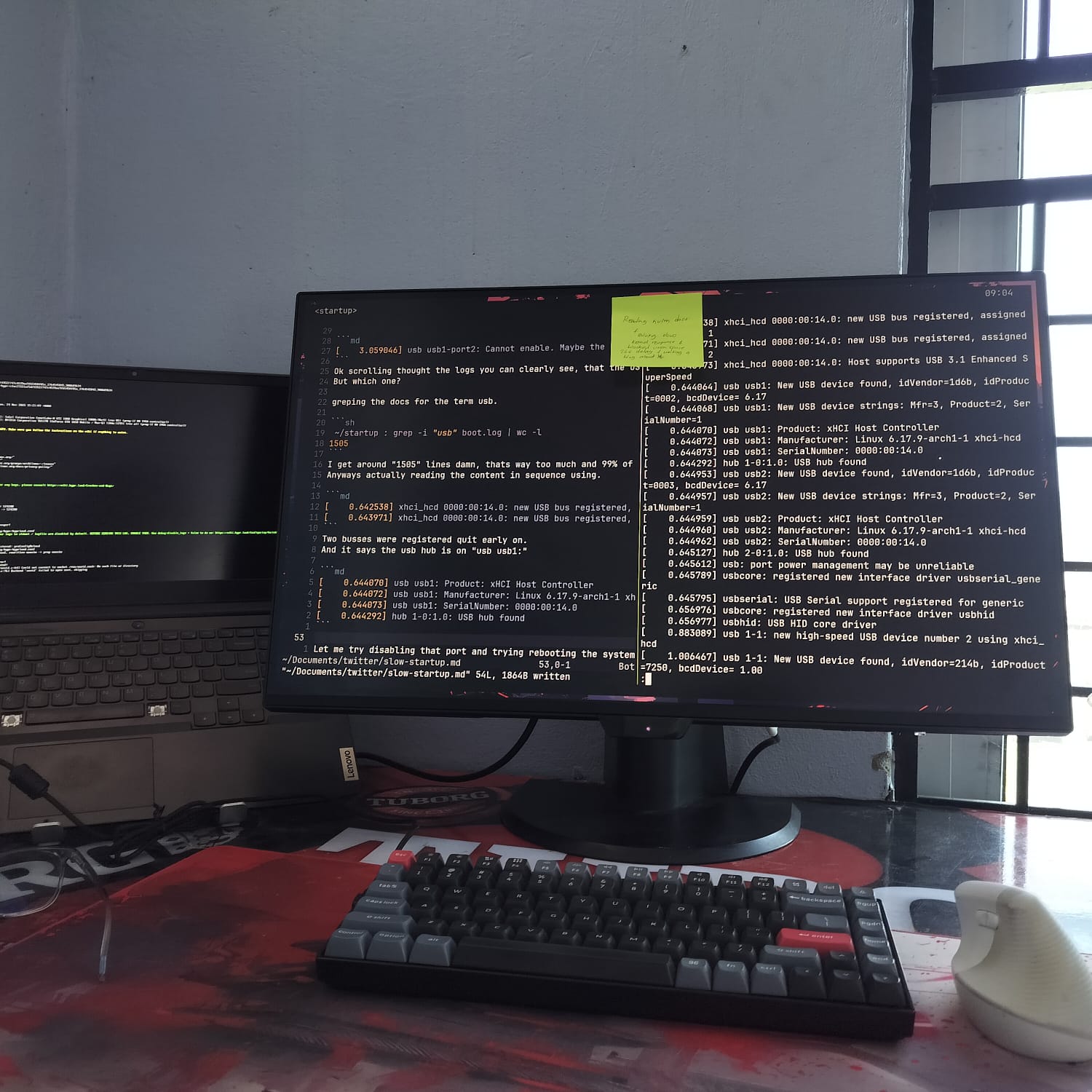
I fired up a neovim and starting noting things since I was going to solve it and share it as well.
I started by using systemd-analyze to see what time was taken by which component.
And the results were somewhat interesting..
Issue
Output of systemd-analyze:
Startup finished in 9.750s (firmware) + 9.883s (loader) + 40.935s (kernel) + 28.468s (userspace) = 1min 29.037s
graphical.target reached after 2.991s in userspace.
Why is the kernel time so high? I asked myself and went to see the kernel logs.
then I ran dmesg and outputed it to a file for further reference. (Here is a greped version with USB if you want to have a look.)
From the logs mentioned above one line is repeative.
[3.059046] usb usb1-port2: Cannot enable. Maybe the USB cable is bad?Ok scrolling thought the logs you can clearly see, that the USB is fucked for sure.
But which one?
greping the docs for the term usb.
 ~ : grep -i "usb" boot.log | wc -l
1505
I get around “1505” lines damn!!. Two busses were registered quite early on. And it says the usb hub is on “usb1-port2”, and then..
Solution
I thought let me try disabling that port and trying rebooting the system.
This is what came into my mind and I did try disabling the usb.
And setting up the udev rules so, that the port stays disabled but that did not work. I mean disabling of the port not it’s effect. And it was time for my office by then. So, I left the issue as is.
And the thing about leaving work is, sometime when I switch I tend to forget that it existed.
Regardless, after some days when I remembered it again. I went straight into it and this time I did some research not into “how can i actually disable the USB”. But what does this error code mean? And to my surprise I found nothing relating to it. And after a little bit of digging I came across this article.
Which happend to have the exact issue I was going throught. I read it completely and found a simple solution, shut the computer unplug the power supply let the capacitors drain out the energy that they were storing. And try rebooting.
So, I did what everyone would do, I unplugged my charger. By the way I might have forgotten to mention that I use my laptop similar to a desktop (mysetup, if you will). What I mean by that is I tend to keep the charger plugged in all the time.
And left it as it is for rest of the night and when I came the next day and checked the system it showed promissing signs. It booted pretty quickly. And after checking the kernel logs I did not find any error that were previously present.
Here are the before and after logs. Note I have filtered them with the word containing “USB”.
And after the issue has now been resolved this is the updated systemd-analyze report.
 ~ : systemd-analyze
Startup finished in 8.993s (firmware) + 9.843s (loader) + 4.164s (kernel) + 5.343s (userspace) = 28.345s
graphical.target reached after 5.343s in userspace.
And this I am quite happy with the results for now, if and only if the will I dive into further details. For now there are other tasks with slightly higher priority in my schedule. As always thank you for reading thus far. And do let me know what you guys thing of these shot of blogs.
And follow along the tag #kernel if you want to tune into my journey of becoming a kernel engineer from a soy web developer.
After completing the first draft of this article I again shutdown my laptop as usual and when I tried rebooting next day the issue still persists. So, which means I will have to dig in further and fix this issue once in for all. Follow along the #usb -71 for part 2 ( Not panned yet, will take 5-6 months for sure. ).